
ALL FEATURES
Everything Amberway does.
Amberway covers the load, the route and the business for independent pilot / escort operators, with tools for the brokers who dispatch them. Here is every feature, the plan that includes it, and where it runs.
Loads & dispatch
Everything about the job, from the offer or the first call to the moment you complete it.
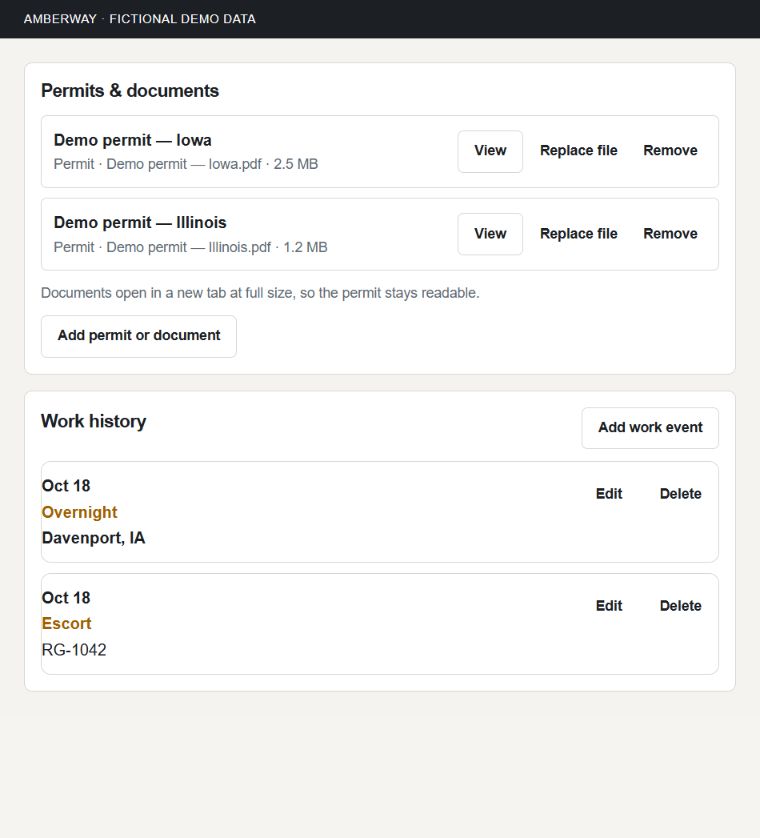
Loads you run
Create a load with the broker, carrier, truck driver, truck, meetup, route and dimensions. Everything for the job stays on it.
Work history
Record Escort, Reposition / Travel, No-Go, Overnight and Work / Other events against the load.
Included on broker-assigned loads with Free Pilot.
Smart Load Closeout
When you complete a load, review its work events, miles and expenses in one place and see anything that looks missing. Nothing is created for you, and nothing blocks completion.
Included on broker-assigned loads with Free Pilot.
Equipment Checklist
Check off the equipment the State Rules list for each load, with the source for each requirement. A completed load keeps the checklist it finished with.
Included on broker-assigned loads with Free Pilot.
Complete and invoice
Complete the load and go straight to its invoice. Nothing is finalized or sent until you say so.
Completing and invoicing a broker-assigned load is included with Free Pilot.
Contacts
Save outside brokers, carriers and truck drivers. Pick a saved driver and the truck number and carrier fill in.
Broker offers and assigned work
Get load offers from Amberway brokers, review the terms and shared documents, answer the offer, then work the load.
My Brokers
Accept broker invitations and see the rosters you belong to. Location sharing with a broker is your choice.
Time off
Mark the days you’re unavailable so the brokers you work with can plan around them.
Permits & navigation
Keep the permit with the load, build the route against it, and drive what you verified.
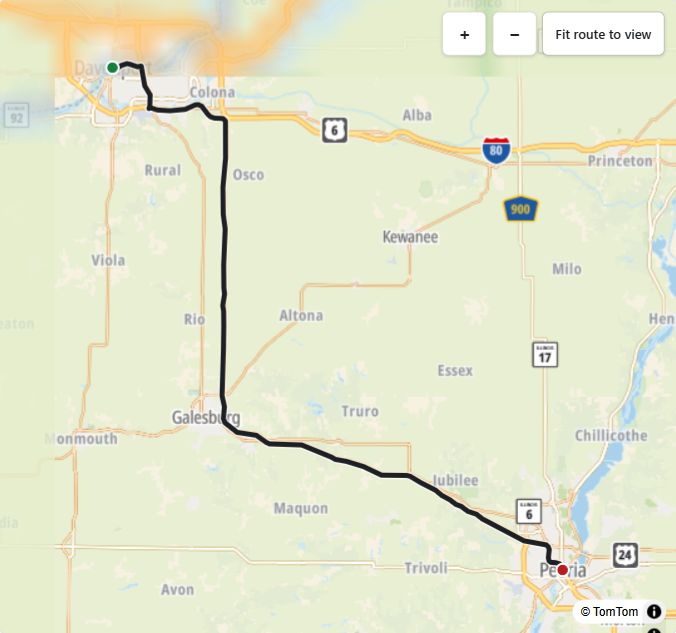
Permits and documents
Attach permits and job documents to the load and open them from the job, on the road or at the desk.
Documents a broker shares are included with Free Pilot.
Permit order for multi-permit loads
Set and confirm the order of several permits before building the route.
Route Builder
Place route points in permit order, calculate the route and compare every road with the permit before you verify it.
The permit remains authoritative.
Exit numbers
Show interstate exit numbers on the map while you build a route.
Drive Mode
Follow your verified route with turn guidance, GPS status and off-route alerts. Your verified route is never silently replaced.
Voice guidance
Choose Full, Alerts only or Off. Alerts only speaks hazards, leaving the route, parking detours, GPS loss and arrival, without turn-by-turn.
Tilted view and zoom
Switch Drive Mode to a tilted, road-ahead view, and zoom in or out while the map keeps following you.
Background navigation
Navigation keeps tracking your position when you switch apps or lock the phone, with background location on.
Road hazard reports
Report a Skinny area, low wire, low clearance, bad railroad crossing, construction pinch point or other oversize hazard. Other pilots confirm it with Still here, or tap Report gone to take it out of alerts right away. Its history is kept.
Community reports are advisory and don’t guarantee clearance.
Hazard warnings
Drive Mode warns you about reported hazards on your route at 5 miles and 1 mile. For height and width hazards, you’re warned when your load is within six inches of the last reported size, or larger.
Reported sizes come from pilots. They aren’t measured clearances and don’t prove a load will fit.
Community hazard rechecks
Seven days after a hazard is reported or last confirmed, Amberway asks the next pilot it applies to whether it’s still there. Yes keeps it active and updates a height or width hazard to that load’s size when it’s known. No takes it out of alerts right away, and its history is kept. If nobody answers, the hazard stays as it is until the next pilot passes.
Community reports are advisory and don’t guarantee clearance.
Truck parking reports
Report and see truck parking and staging spots on the map while you drive.
Mileage & expenses
Your own records of the miles, the costs and the truck, kept as you go.
Daily mileage
Enter your actual daily business miles and link miles to a load or work event without changing the daily total.
Expenses and receipts
Keep costs and receipts for a load or the business. Take a photo of a receipt on your phone.
Meal days
Choose Actual Meal or Standard Per Diem for each meal day.
Vehicle Maintenance
Keep your vehicle’s service history and get reminders when maintenance is due. Each entry links to the expense you already recorded.
Documents & Renewals
Keep your insurance, certifications and other renewable paperwork with their expiration dates. Expirations never block your work.
Vehicle costs
Enter fuel price, MPG and per-mile costs once, and Amberway estimates what each load costs to run.
Invoices & payments
Bill from recorded work or bill a customer directly, then keep the balance current.
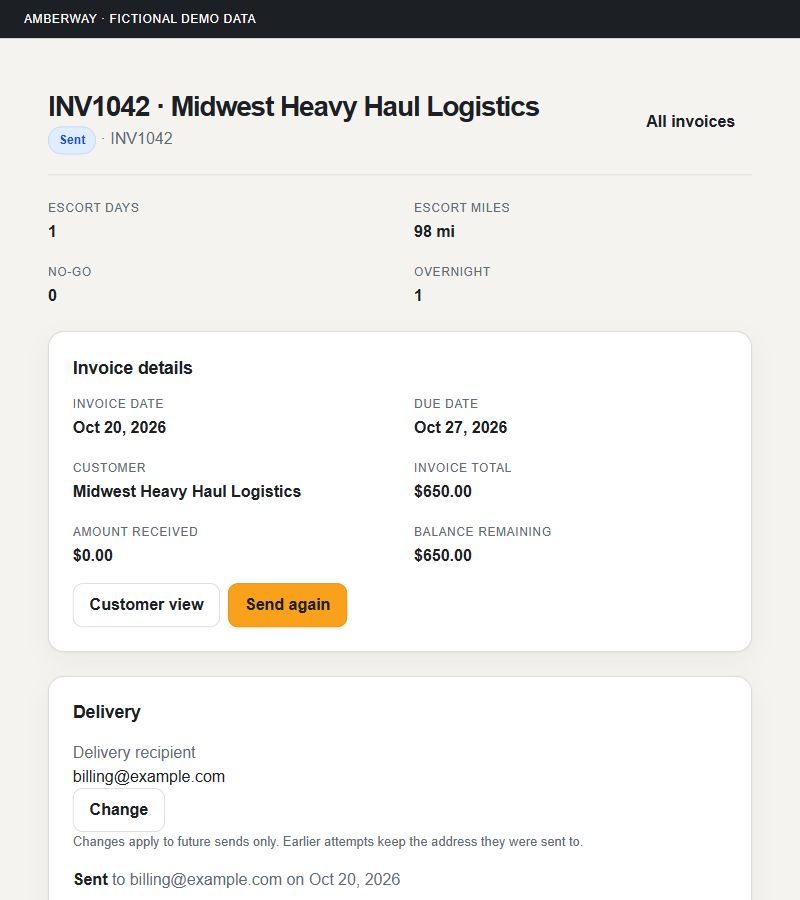
Invoices from load work
Prepare an invoice from the load’s recorded work and applicable rates, choose the billing basis and finalize it.
Invoicing a broker-assigned load is included with Free Pilot.
Invoices without a load
Bill a customer directly for charges you enter yourself, and add the carrier, truck driver, truck number, load number, start, stop and total miles.
Send and record payments
Send a professional PDF by email and record payments to keep the balance current. Amberway doesn’t collect payment for you.
Sending and recording payments for a broker-assigned load is included with Free Pilot.
Void a sent invoice
Void a sent invoice that hasn’t been paid. The record stays.
Voiding a broker-assigned invoice is included with Free Pilot.
Rate Book
Save customer and role-specific rates and review what applies to the job.
Reports
See what the business earned, from the records you already kept.
Profitability
See what each load earned after recorded costs and estimated vehicle costs, and the margin for any period.
Tax report
Income, mileage, expenses and meal days for any period, from the records you kept.
Broker tools
For brokers who dispatch pilots. Pilots answer offers on any plan, including Free Pilot.
Pilot roster
Invite pilots to your private roster and see their workload.
Loads, offers and dispatch
Create loads, offer them to pilots with terms and documents, handle counter-offers and follow each assignment.
Calendar and Today
See every assignment on a calendar and what needs attention today.
Carriers and truck drivers
Keep a directory of the carriers and drivers you work with.
Pilot map
See the locations pilots choose to share with you. Pilots control sharing; it isn’t continuous tracking.
Invoice review
Review the invoices your pilots send for your loads.
Push alerts
Get a notification on iPhone or Android when a pilot accepts an offer, counters an offer, completes a load or sends an invoice.
Account & reference
One account on every device, and reference material every pilot can use.
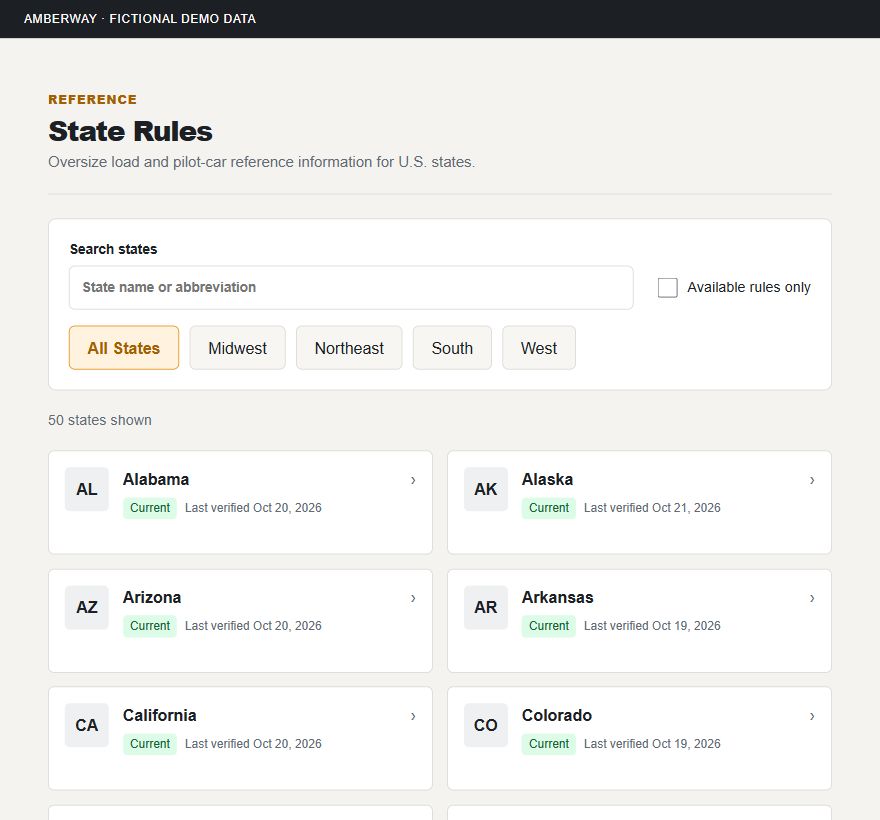
One account everywhere
Use the same account on the web, iPhone and Android. Loads, records and your plan are shared.
Works without signal
Record work, miles and expenses on your phone without a connection. They sync when you’re back online.
State Rules
Search pilot-car and oversize reference information for all 50 states, with official source links and verification dates.
A reference, not a compliance guarantee.
Help and support
Help articles and a Report a problem form in the app.
Plans and billing
Start with a 10-day trial of everything, then choose a plan or stay on Free Pilot.
Admin Rules & Rates
Amberway’s owner checks official state, IRS, SSA and GSA sources for changes and reviews each one before it reaches State Rules and per diem rates.
Features depend on your plan. Every new account starts with a 10-day free trial with full Amberway access.
The permit remains authoritative. Amberway doesn’t guarantee a legal route, clearance or regulatory compliance. State Rules and the Equipment Checklist are references; confirm current requirements with the state authority and your issued permit. Community road reports are advisory.
Try every feature
for 10 days.
Full Amberway access. No payment required to start.